

TL;DR:
- Scam simulation trains individuals with realistic, controlled fake scams to improve online awareness.
- Repeated practice and immediate feedback help build instinct and reduce human errors.
- It is a safe, effective tool for both personal and organizational cybersecurity training.
Most people assume that installing antivirus software is enough to stay safe online. It's a reasonable thought, but it's wrong. The vast majority of successful scams don't break through firewalls. They break through people. Scammers exploit trust, urgency, and distraction. That's why scam simulation, also known as phishing simulation, is gaining serious attention as a practical, hands-on way to sharpen real-world awareness. This guide breaks down exactly what scam simulation is, how it works, and why it could be the single most effective thing you do to protect yourself online.
Table of Contents
- What is scam simulation and how does it work?
- Why scam simulations are essential for cybersecurity awareness
- Types of scam simulations: Methods and real-world examples
- How scam simulations provide feedback and drive learning
- Why human error, not software, is the real cybersecurity gap
- Practice scam simulation with ScamKit's free tools
- Frequently asked questions
Key Takeaways
| Point | Details |
|---|---|
| Scam simulation defined | A scam simulation is a safe, controlled test that mimics cyber threats so you can learn to spot real scams. |
| Proven awareness builder | Regularly practicing with scam simulations helps you recognize and resist online scams more effectively. |
| Feedback drives learning | Simulations provide instant feedback and practical training, turning mistakes into lasting security skills. |
| Accessible for everyone | Anyone can use scam simulations, not just IT pros, to boost everyday cybersecurity awareness. |
What is scam simulation and how does it work?
Now that we've raised the question of what scam simulation really is, let's break down exactly how it works.
Attack simulation training is a controlled cybersecurity exercise where fake scam emails, messages, or calls are sent to real people, mimicking actual threats, to test and train awareness without causing harm. Nobody gets hurt. No data gets stolen. The whole point is to put you in a realistic situation before a real criminal does.
Here's how a typical simulation runs from start to finish:
- Scenario planning: A scenario is chosen based on common threats. This could be a fake invoice, a password reset email, or a suspicious prize notification.
- Crafting the message: The simulation is designed to look and feel authentic, copying real brand logos, language, and urgency triggers scammers love to use. You can see strong phishing email examples to understand how convincing these can look.
- Launch: The simulated scam is sent to participants, just like a real attack would arrive.
- Tracking interactions: The system records who clicks, who reports, and who ignores the message.
- Feedback delivery: Participants receive immediate, personalized feedback explaining exactly what they missed and why it was suspicious.
- Training assignment: Those who interacted with the simulation are guided through short educational modules to fill the knowledge gap.
Here's a quick look at how simulations are structured:
| Component | Description | Goal |
|---|---|---|
| Scam type | Phishing email, SMS, fake login page | Test recognition skills |
| Delivery method | Email, text, phone call | Mirror real attack channels |
| Tracking | Clicks, form entries, reports | Measure awareness levels |
| Feedback | Instant post-interaction message | Educate and correct behavior |
| Follow-up training | Short modules or guides | Reinforce lessons learned |
Simulations are not about catching people out or embarrassing anyone. They are purely educational. Organizations can use platforms like ScamKit for teams to run these exercises in a supportive environment where mistakes become learning moments, not punishments.
Pro Tip: If you click a simulated scam link, don't feel embarrassed. Feeling that jolt of surprise is actually valuable. It creates a memory anchor that makes you far less likely to fall for the real thing.
Why scam simulations are essential for cybersecurity awareness
Having seen how scam simulation operates, it's vital to understand why it matters.
Human error is behind an overwhelming number of cybersecurity incidents. People click links they shouldn't. They enter passwords into fake login pages. They send money to strangers pretending to be trusted contacts. No piece of software fully stops that. Only awareness and practice can.
"Scam simulations build cybersecurity awareness by providing practical, safe exposure to real-world tactics, ideal for individuals using tools like ScamKit."
Here's how simulations actually empower you to protect yourself:
- Safe exposure: You experience a realistic threat in a zero-risk environment, so the fear factor is removed.
- Instant feedback: You learn right at the moment of making a mistake, which is when information sticks the most.
- Measurable improvement: Tracking your results over time shows genuine progress in recognizing threats faster.
- Habit formation: Repetition builds instinct. After enough simulations, suspicious patterns start to feel obvious.
- Reduced shame: Simulations normalize mistakes, making it easier for people to report real incidents without fear of judgment.
Reviewing scam prevention steps alongside regular simulations creates a powerful combination. You learn the theory and then immediately test it in a safe space.
Understanding how you fall for scams is genuinely the key to stopping it from happening. Most people who get scammed aren't careless or unintelligent. They were rushed, distracted, or simply unfamiliar with the specific tactic used against them. Simulations close that gap fast. Pairing them with scam avoidance strategies gives you a complete defense.

Types of scam simulations: Methods and real-world examples
With the benefits in mind, let's look closely at the specific types of scam simulations you might encounter.
Simulation mechanics involve planning objectives, crafting realistic scenarios such as credential harvesting, malware links, and vishing (voice phishing), then tracking interactions and delivering feedback. Different methods test different vulnerabilities.
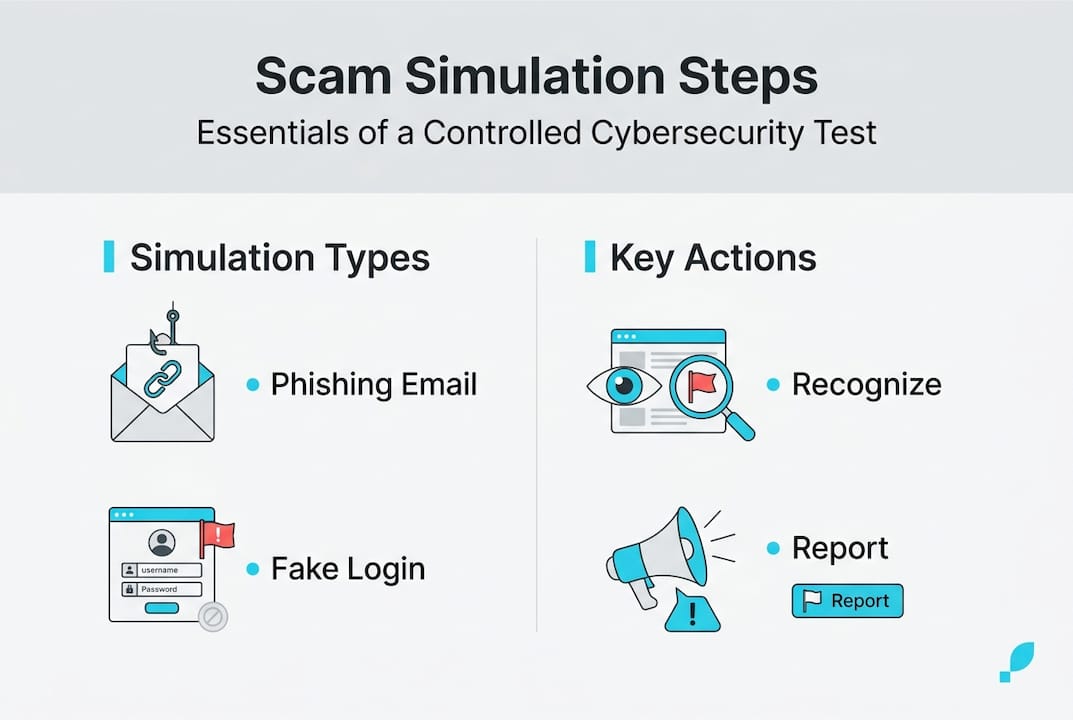
Here's how the main types compare:
| Type | Delivery method | Main threat | Difficulty level |
|---|---|---|---|
| Email phishing | Inbox message | Fake links, attachments | Medium |
| SMS phishing (smishing) | Text message | Urgent fake alerts | Medium-High |
| Voice phishing (vishing) | Phone call | Impersonation scams | High |
| Link-based | Any channel | Fake login pages | Medium |
Let's walk through what a typical email simulation actually looks like from your perspective:
- You receive an email that looks like it's from your bank, saying there's suspicious activity on your account.
- The email includes a button that says "Verify your identity now" with a sense of urgency.
- You click the button and land on a page that looks exactly like your bank's login screen.
- If this were a real attack, entering your details there would hand your credentials to a criminal.
- In a simulation, you instead see a message explaining that this was a test, with a breakdown of the red flags you should have spotted.
For each type, watch for these specific signals:
- Emails: Sender address doesn't match the brand name, urgent language, generic greeting like "Dear Customer."
- SMS messages: Short links, requests for personal information, threats about account suspension.
- Phone calls: Caller asks for passwords or payment, claims to be from tech support or government agencies.
- Fake links: URL doesn't match the legitimate site, padlock icon missing or suspicious.
Real-world incidents like the 2020 Twitter hack, which began with a phone-based social engineering attack, show how these tactics work at scale. Studying phishing email breakdowns and scam template examples helps you recognize patterns before they cost you. Knowing how to spot a scam alert warning in any format is a skill that compounds over time.
How scam simulations provide feedback and drive learning
You know the types of simulations. Now, let's demystify how feedback actually works and why it's critical for real improvement.
The most important design principle in good scam simulation is this: no blame, only learning. When you interact with a simulated scam, the system doesn't punish you. It shows you exactly what you missed and explains why that detail was suspicious. That approach is far more effective than any warning email or policy document.
Simulation feedback mechanics include tracking every interaction, delivering instant contextual corrections, and assigning targeted training to close specific gaps.
Here are the best practices for getting the most out of scam simulations:
- Review every piece of feedback carefully, even if you passed. Understanding why something is suspicious builds deeper knowledge than just knowing that it is.
- Don't skip the follow-up training modules. They are short for a reason and tightly focused on the specific tactic used.
- Take notes on patterns you missed. Over time, you'll spot your personal blind spots and actively correct them.
- Repeat simulations regularly. Scam tactics evolve constantly. A skill you built six months ago may not cover a new variant today.
- Share what you learn. Teaching family or colleagues about a tactic you just practiced cements your own understanding.
Tools like ScamKit's simulator make it easy to practice in a realistic environment without any setup or technical knowledge required. You get hands-on exposure to real scam tactics, instant feedback, and actionable next steps.
If you or someone you know has already fallen for a real scam, don't stop there. Resources to recover from scams and connect with scam victim support can help you take back control quickly. Practicing safe strategies after recovery is what prevents it from happening again.
Pro Tip: Set a recurring reminder every month to run a short scam simulation exercise. Treat it like a fire drill. The more routine it becomes, the sharper your instincts stay.
Why human error, not software, is the real cybersecurity gap
Beyond methods and mechanics, there's an uncomfortable truth that every security professional eventually learns.
We have never had more security software available. Spam filters, antivirus programs, two-factor authentication, VPNs. And yet scam losses continue to grow year over year. Why? Because almost every successful attack at some point involves a person making a decision.
After analyzing hundreds of real scam messages and phishing attack patterns, one thing stands out consistently: even experienced, tech-savvy people get fooled when they are tired, emotional, or in a hurry. The scam didn't beat their software. It beat their attention.
Conventional wisdom pushes people toward more tools, more filters, more protection layers. But the real gap is practice. Recognizing a scam in the moment is a skill, not a setting you turn on. Skills require repetition, feedback, and real scenarios to develop.
The most resilient people online aren't the ones with the most software installed. They're the ones who have seen enough realistic examples to feel the warning signal before they think about it. Simulation training builds exactly that kind of instinct. Ongoing education beats fear-based security postures every single time.
Practice scam simulation with ScamKit's free tools
Ready to test your skills and see how you'd fare in a real scam simulation? Here's how ScamKit can help.
ScamKit gives you free, no-signup access to realistic scam simulations designed for everyday people. No technical background needed.
Start with the ScamKit scam simulator to put your recognition skills to the test right now. It's quick, realistic, and gives you immediate feedback on what you spotted and what you missed. If you want to build a longer-term habit of staying safe, the proactive cybersecurity guide walks you through a practical framework for staying ahead of threats. And if you have questions or want guidance tailored to your situation, you can always contact ScamKit directly. Start building your scam-spotting skills safely today.
Frequently asked questions
Is scam simulation safe to use at home or only at work?
Scam simulation is safe for both personal and professional learning, since it is a controlled exercise that tests and trains awareness without causing harm. Anyone can use it, regardless of technical background.
What should I do if I fall for a scam simulation?
Use the feedback from the simulation to understand exactly what you missed, then review practical scam avoidance steps to avoid real scams going forward. Falling for a simulation is a valuable learning moment, not a failure.
How often should scam simulation exercises be done?
Experts recommend regular sessions, monthly or quarterly, to keep skills sharp since repetition and reinforcement are key to improving your response to evolving threats.
Are scam simulations only about emails?
No. Scam simulations cover a wide range, including credential harvest attempts, fake SMS messages, vishing phone calls, and malicious links, mirroring the full range of real-world tactics criminals actually use.