

TL;DR:
- Recognizing red flags like unexpected contact urgency and unusual payment requests helps prevent scams.
- Having a personal action plan and verifying through trusted contacts reduce impulsive responses.
- Slowing down and consulting others are more effective than relying solely on technology for scam avoidance.
Americans lost $12.5 billion to fraud in 2024, and the numbers keep climbing. Scammers are not just targeting tech-savvy users or wealthy individuals. They are going after families, seniors, and anyone who picks up the phone or opens an email. The good news is that you do not need a computer science degree to protect yourself. A few consistent habits, a simple plan, and the right tools can make a real difference. This guide walks you through five practical best practices that anyone can use, starting today.
Table of Contents
- Recognize red flags in scam attempts
- Build your personal action plan
- Adopt technology defenses against scams
- Report and recover from scam attempts
- Why slowing down beats high-tech tools for scam avoidance
- Take your scam prevention to the next level with ScamKit
- Frequently asked questions
Key Takeaways
| Point | Details |
|---|---|
| Spot common scam signs | Look out for urgent demands, unexpected messages, and requests for untraceable payments. |
| Use a personal action plan | List trusted contacts and company numbers to consult before responding to suspicious requests. |
| Pair technology with behavior | Simple tech tools, combined with pausing and verifying, are your best defense against scams. |
| Report and recover quickly | Report scams to official agencies and take immediate steps to secure your accounts. |
Recognize red flags in scam attempts
The first line of defense is knowing what a scam looks like before you react. Scammers are skilled at creating situations that feel urgent and real. But once you know the patterns, they become much easier to spot.
The FTC confirms that common scam signs include unexpected requests for money or personal information, pressure to act immediately, and demands for payment through untraceable methods. These are the three core ingredients in almost every scam.
Here are the most common red flags to watch for:
- Unexpected contact: A call, text, or email you did not ask for, claiming to be from a bank, government agency, or well-known company
- Urgency and pressure: Phrases like "act now," "your account will be closed," or "you owe money" are designed to make you panic
- Unusual payment requests: Legitimate organizations do not ask you to pay with gift cards, wire transfers, or cryptocurrency
- Threats or prizes: Either you are being threatened with arrest or fines, or you have "won" something you never entered
- Requests for personal info: Social Security numbers, passwords, or banking details requested out of nowhere
Legitimate organizations, including the IRS, Social Security Administration, and your bank, will never demand immediate payment over the phone or threaten you with arrest.
You can also look at real scam message examples to see exactly how these tactics appear in the wild. Knowing what a fake message actually looks like is far more useful than reading a general description.
Imposter scams, where someone pretends to be a trusted authority, are among the most common. The FTC has a dedicated resource on imposter scam prevention that is worth bookmarking. You can also learn how to recognize spotting scam alerts that are themselves fake, since scammers sometimes pose as fraud warning services.
The key takeaway here is simple: if something feels off, trust that feeling. Pause before you respond.
Build your personal action plan
Knowing the warning signs is step one. But in the moment, when someone is pressuring you to act fast, it is easy to forget everything you know. That is why having a ready-made action plan matters so much.
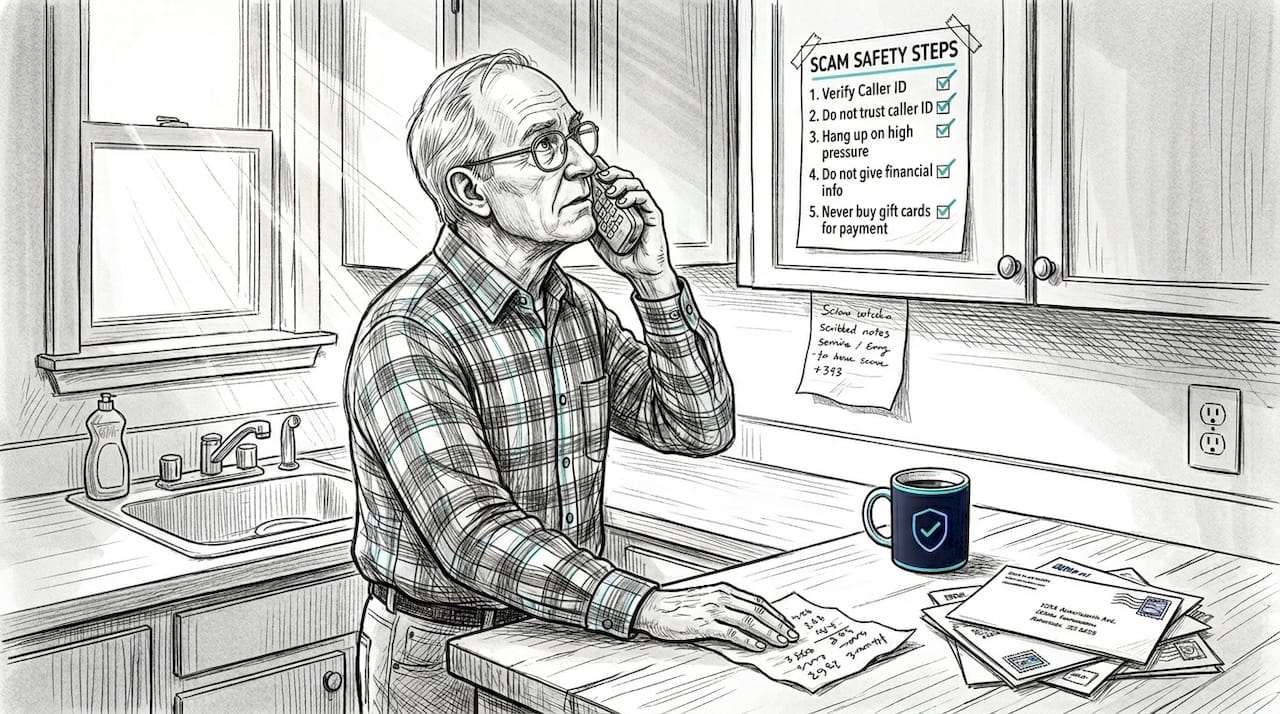
The FTC recommends listing trusted contacts and verified company phone numbers so you can consult them before acting on any urgent demand. This simple step removes the panic from the equation.
Here is how to build your personal action plan in five steps:
- Write down trusted contacts: Include a family member, close friend, or neighbor you can call when something feels suspicious
- List verified phone numbers: Look up the real numbers for your bank, Medicare, the IRS, and any other services you use regularly. Write them down on paper
- Create a pause rule: Commit to waiting at least 10 minutes before responding to any urgent request. Scammers hate delays
- Decide on a code word: Some families use a code word to confirm a real emergency versus a scam call pretending to be a loved one in trouble
- Share the plan: Make sure every adult in your household has a copy
Pro Tip: Print your action plan and tape it near your phone or computer. A physical cheat sheet is more useful than a digital note when you are stressed and thinking fast.
For families with older adults, this plan is especially valuable. Seniors are often targeted because scammers assume they are isolated or less familiar with digital tricks. Having a trusted contact to call before acting gives everyone a safety net.
When you need to verify a caller's identity, always hang up and call the company back using a number you found independently, not the one they gave you. Our guide on phone scam verification tips walks you through exactly how to do this safely.
Adopt technology defenses against scams
A solid action plan works even better when you pair it with a few basic digital tools. You do not need to be a tech expert to use these. Most are built into devices and apps you already have.
Start with these core protections:
- Spam filters: Enable spam filtering in your email app and on your phone. Most providers offer this by default, but it is worth checking your settings
- Two-factor authentication (2FA): This adds a second step when you log in, so even if a scammer gets your password, they still cannot access your account
- Software updates: Outdated software has security gaps that scammers can exploit. Turn on automatic updates so you are always protected
- Secure messaging apps: Use end-to-end encrypted (E2EE) apps like Signal or WhatsApp for sensitive conversations
The FTC advises that you should never click links in unexpected emails or texts, and that enabling 2FA is one of the most effective ways to protect your accounts.
Pro Tip: Avoid using SMS text messages as your second factor for 2FA. Text-based codes can be intercepted. Use an authenticator app like Google Authenticator or a physical security key instead. CISA specifically recommends FIDO-based MFA over SMS for stronger protection.
Here is a quick comparison of common authentication options:
| Method | Security level | Ease of use |
|---|---|---|
| SMS text code | Low | Very easy |
| Authenticator app | High | Moderate |
| Physical security key | Very high | Moderate |
| Biometric (fingerprint) | High | Very easy |
Before you click any link in a message, you can check it first. Our email scam detection guide shows you what to look for in suspicious emails. You can also learn about spotting fake links and review common URL scam red flags to sharpen your instincts.
Report and recover from scam attempts
Even with the best habits, a scam attempt may still reach you. Knowing what to do next limits the damage and helps protect others.
If you encounter a scam, here is what to do right away:
- Do not send money or information: If you have not yet responded, stop. Do not engage further
- Document everything: Screenshot the message, note the phone number or email address, and write down what was said
- Secure your accounts: Change passwords for any accounts that may have been compromised, and contact your bank if financial information was shared
- Place a credit freeze: If your Social Security number was exposed, contact the three major credit bureaus to freeze your credit
- Seek support: Scams can be emotionally distressing. Talk to someone you trust, and know that you are not alone
Reporting matters more than most people realize. The FTC at ReportFraud.ftc.gov and the AARP Fraud Helpline at 877-908-3360 are two of the best places to report. Your report helps investigators track patterns and shut down scam operations.
Here is a comparison of your main reporting options:
| Reporting option | Best for | Typical outcome |
|---|---|---|
| FTC ReportFraud.ftc.gov | All fraud types | Data shared with law enforcement |
| AARP Fraud Helpline | Older adults, emotional support | Guidance and referrals |
| Internet Crime Complaint Center (IC3) | Online and financial crimes | FBI investigation referral |
| Your state attorney general | Local scams | State-level enforcement |
If you received a suspicious email, you can analyze it using our email header analyzer to see where it really came from. You can also review examples of scam messages to compare what you received against known patterns.
Why slowing down beats high-tech tools for scam avoidance
Here is something the cybersecurity industry rarely admits: most scams succeed not because the victim lacked the right app, but because they were rushed, scared, or alone in the moment.
Research confirms that behavioral interventions, like pausing and seeking a second opinion, are empirically more effective than tech tools alone at reducing scam vulnerability. That is a striking finding. It means the single most powerful thing you can do is slow down.
Scammers engineer urgency on purpose. They want you to act before you think. The moment you pause, their entire strategy falls apart.
"Pause, call a friend, and verify. That beats any app."
Tech tools like URL checkers and 2FA are genuinely useful, and we recommend them. But they are a backup layer, not the foundation. The foundation is your behavior. Check out our AI basics for scam avoidance if you want to understand how AI-powered tools fit into the bigger picture.
Pro Tip: Before acting on any urgent request, ask one trusted person what they think. That single step has stopped more scams than any software ever will.
Take your scam prevention to the next level with ScamKit
You now have a solid foundation: you know the red flags, you have a personal action plan, and you understand the tech tools that help. The next step is putting it all into practice with tools that make verification fast and easy.
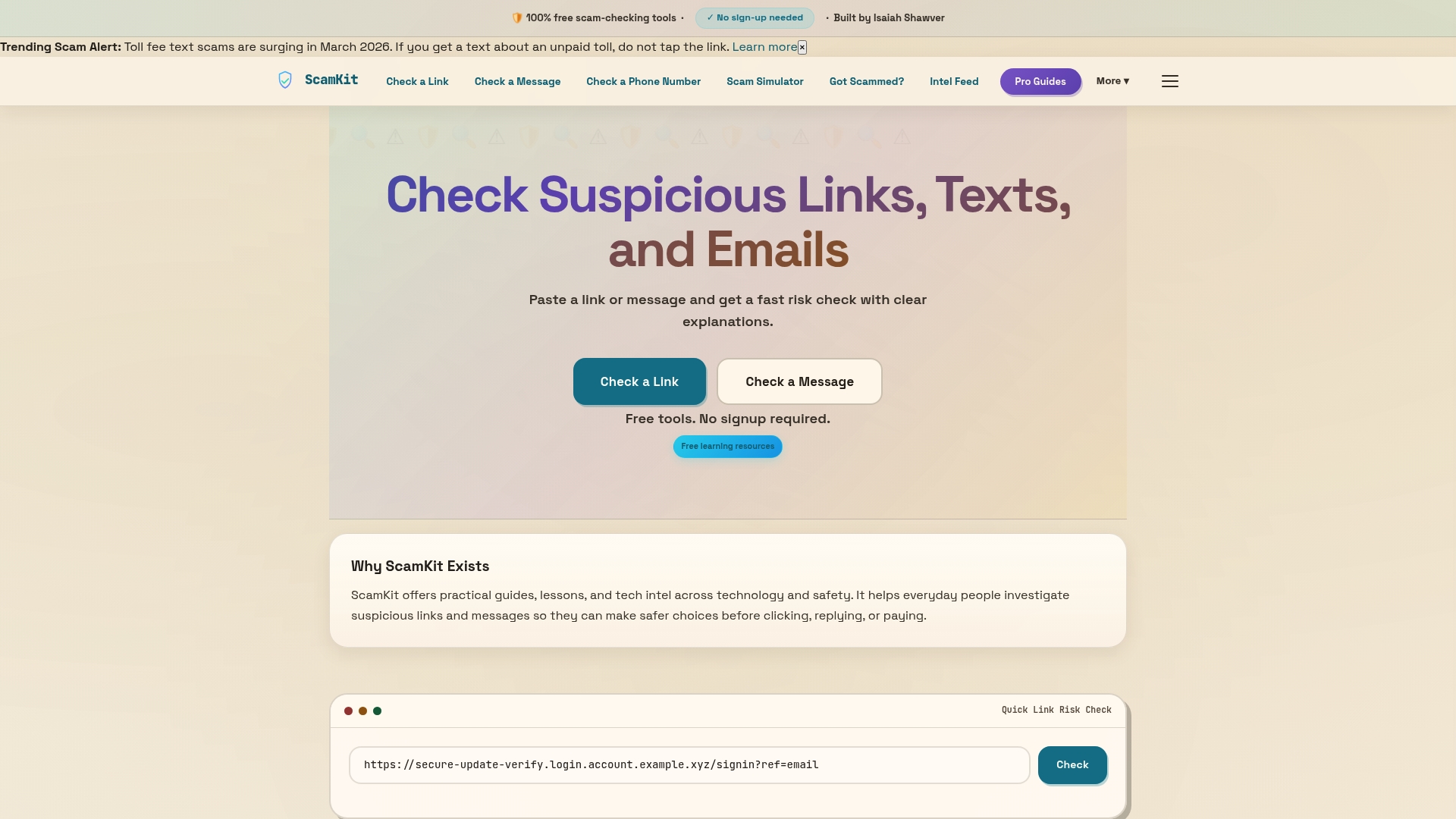
ScamKit offers free, no-signup tools designed specifically for people who want quick answers without technical complexity. Use the email header analyzer to trace suspicious emails, run any link through the link risk checker before you click, and visit our guide on how to detect fake emails for step-by-step help. Every tool is built to complement the personal action plan you just created, giving you an extra layer of confidence when something feels off.
Frequently asked questions
What are the simplest ways to check if a message is a scam?
Pause and verify using trusted contacts or known numbers before responding, and never click suspicious links or attachments. A 10-minute delay is often all it takes to see through the pressure.
How should I respond if I think I've been scammed?
Report the incident to the FTC at ReportFraud.ftc.gov and the AARP helpline at 877-908-3360, then secure your accounts by changing passwords and contacting your bank immediately.
Are older adults targeted more by scammers?
Yes. Older adults suffer the highest fraud losses, with median losses exceeding $1,000 for people in their 70s. Scammers often target seniors because they may be more isolated or less familiar with digital tactics.
What is the safest way to pay online to avoid scams?
Use credit cards for online purchases since they offer fraud protection. Never send money via gift cards, wire transfer, or cryptocurrency in response to an unexpected request, as these methods are nearly impossible to trace or recover.
Are tech tools enough to avoid scams?
Tech tools help, but behavioral strategies like slowing down and consulting a trusted person are more effective for most people. Think of tools as a safety net, not a substitute for careful thinking.