
TL;DR:
- Modern smishing attacks are highly convincing and impersonate trusted entities to deceive users.
- Smishing checkers using AI can analyze messages, URLs, and screenshots to detect scams in real time.
- Combining smishing tools, safe habits like forwarding suspicious texts to 7726, and family awareness offers the best protection.
Most people assume they would never fall for a scam text. They feel confident, even a little smug about it. But here's the uncomfortable truth: modern smishing attacks (SMS phishing, meaning scam texts designed to steal your information or money) are so convincing that security professionals have been fooled by them. Scammers today impersonate your bank, the post office, the IRS, even your own family members. They replicate real logos, use real business names, and craft messages that feel completely routine. Fortunately, a new wave of smishing checker tools can help anyone, including your kids and your grandparents, catch these threats before real damage is done.
Table of Contents
- What is a smishing checker and how does it work?
- Top smishing checker apps compared
- Real-world limitations: What smishing checkers still miss
- Smishing protection for families: Beyond the checker app
- The truth about smishing checkers: Tech is only half the answer
- Want stronger protection? Leverage advanced tools from ScamKit
- Frequently asked questions
Key Takeaways
| Point | Details |
|---|---|
| Smishing is evolving | Modern scam texts are sophisticated and can fool anyone, making digital protection essential. |
| Checkers boost safety | User-friendly smishing checker apps help families and individuals quickly screen scam texts. |
| No tool is perfect | Scam detection apps miss some tricks, so smart habits and reporting remain crucial. |
| Family habits matter | Combining apps with easy steps like using 7726 helps keep every family member safer. |
What is a smishing checker and how does it work?
Smishing is short for "SMS phishing." Just like email phishing tricks you into clicking a bad link through email, smishing does the same thing through text messages. And it's getting worse fast. Scammers send billions of fraudulent texts every year, targeting people across every age group and income level.
Traditional defenses just aren't enough anymore. Most people rely on gut instinct, but that instinct gets it wrong more often than you'd think. Spam filters on your phone catch some bad texts, but they miss sophisticated attacks, especially those that come from numbers that look local or those that mimic legitimate business shortcodes.
That's where smishing checkers come in. A smishing checker is a tool, usually a mobile app or web platform, that analyzes incoming text messages for warning signs of fraud. Modern tools use AI (artificial intelligence) and ML (machine learning) to do this in seconds. They look for suspicious links, known scam patterns, impersonation tactics, and dangerous URLs.
Here's what good smishing checkers typically do:
- Analyze the text of a message for phrases and patterns tied to known scams
- Check links before you open them, warning you if a URL leads somewhere dangerous
- Scan screenshots so you can check a text without copying the actual link
- Alert you in real time when a suspicious message arrives
- Work without sharing your personal data, keeping your privacy intact
One widely used option, Trend Micro ScamCheck, uses AI to analyze texts, screenshots, and websites for smishing and provides real-time alerts. It works directly on your phone and is built for people with no technical background whatsoever.
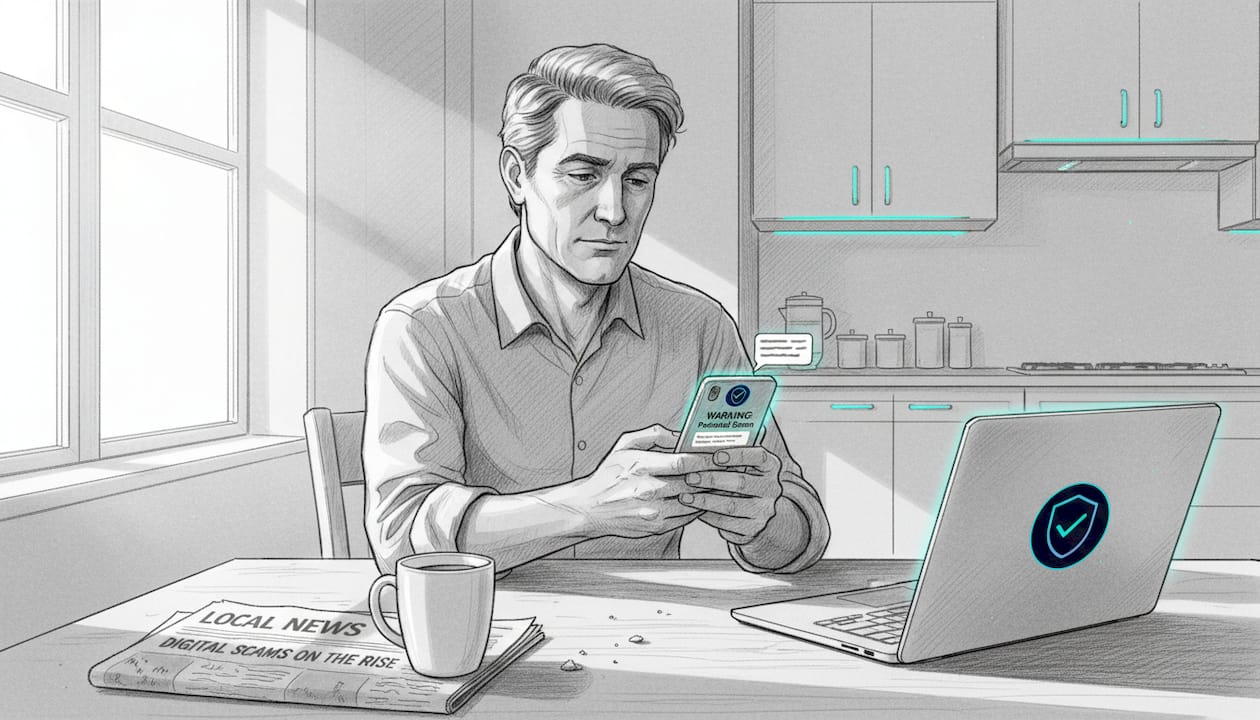
This matters for families especially. If you're worried about an older parent clicking a "Your package has been delayed" text, or a teenager falling for a fake prize notification, these tools give you a real safety net. You can also read more about how to stop smishing and text scams using a combination of tools and habits.
A key thing to understand about spotting fake warnings: scammers deliberately create urgency. "Your account is locked." "Verify now or lose access." Smishing checkers help cut through that panic by giving you a calm, objective second opinion before you act.
Top smishing checker apps compared
Now that you know what smishing checkers do, here's how the most popular options perform in the real world.
There are several solid apps available right now, and they vary in features, privacy protections, and ease of use. Here's a side-by-side look:
| App | AI detection | Screenshot support | On-device privacy | Family mode | Free tier |
|---|---|---|---|---|---|
| Trend Micro ScamCheck | Yes | Yes | Partial | Yes | Yes |
| McAfee Scam Detector | Yes | No | Partial | Yes | Limited |
| SmishAlert | Yes | Yes | Yes (fully on-device) | No | Yes |
| Norton Genie | Yes | Yes | Partial | No | Yes |
| Bitdefender Scamio | Yes | Yes | Partial | No | Yes |
McAfee Scam Detector is one of the most powerful options for real-time detection. It claims up to 99% accuracy in identifying scam texts, which is impressive. However, it lacks screenshot support, which is a significant gap. If you receive a screenshot of a suspicious message forwarded from a family member, McAfee can't scan it.
SmishAlert takes a different approach. It uses on-device ML for real-time SMS filtering, meaning your messages are processed locally on your phone. They are never uploaded to a server unless you choose to report something. That's a big privacy win, especially for people who are cautious about sharing personal communications with third parties.
Norton Genie and Bitdefender Scamio both offer screenshot analysis, which is useful when someone in your family texts you asking "is this a scam?" You can screenshot the suspicious message and run it directly through the app.
For families with young kids or elderly relatives, Trend Micro ScamCheck is often the best starting point. It covers texts, calls, websites, and screenshots, and its interface is simple enough that most users figure it out within minutes. You can also explore Scamchecker app alternatives if you want to see additional options beyond these five.
Key features to prioritize when choosing for a family:
- Simple interface that anyone can navigate without frustration
- Real-time alerts so threats are flagged before someone clicks
- Screenshot support for when family members share suspicious texts with each other
- On-device processing for maximum privacy protection
- Family or multi-user modes to cover everyone under one subscription
No single app is perfect for every household. The right choice depends on your family's devices, technical comfort level, and privacy expectations.
Real-world limitations: What smishing checkers still miss
Even with these standout features, smishing checkers have limits every informed user should know.
This isn't about scaring you away from using these tools. Quite the opposite. Understanding the gaps makes you a smarter, safer user. These apps are genuinely helpful, but they work best when you know what they can and can't do.
Here's a realistic picture of the known weak spots:
| Limitation | Why it's a problem | Which apps are affected |
|---|---|---|
| Image-based scams | Apps often fail to read scam text inside images | Most apps |
| QR codes | Malicious QR codes can bypass text analysis | Most apps |
| Zero-day attacks | Brand-new scam URLs aren't in any database yet | All apps |
| URL shorteners | Masked URLs hide the real destination | Several apps |
| Voice smishing (vishing) | Calls with smishing-style scripts aren't analyzed | All apps |
Research confirms that apps miss image and QR scams, struggle with zero-day attacks and URL shorteners, and may produce false positives (flagging a safe message as dangerous). These aren't minor edge cases. Scammers actively use images and QR codes to get around automated detection.
A real-world test conducted by KSL TV reporters found that no tested app passed all smishing scenarios. McAfee performed best overall for plain text analysis but couldn't scan screenshots. Norton, Trend Micro, and Bitdefender handled some image-based tests better but weren't perfect either.
This doesn't mean you should give up on these tools. It means you should use them as one layer of protection, not the only layer.
"No security tool eliminates 100% of risk. What these apps do is dramatically raise the cost and effort for scammers while giving you a fast, reliable second opinion."
Pro Tip: Even if your smishing checker gives a message a clean bill of health, stay cautious if it came unexpectedly. Scammers are constantly evolving. If a "safe" text asks you to click a link, log in to something, or send money, trust your gut and verify through official channels directly. You can also check out real examples of scam messages to train your eye for patterns these apps can miss.
Smishing protection for families: Beyond the checker app
To truly keep everyone in your family safe, it's vital to combine technology with a few key habits.
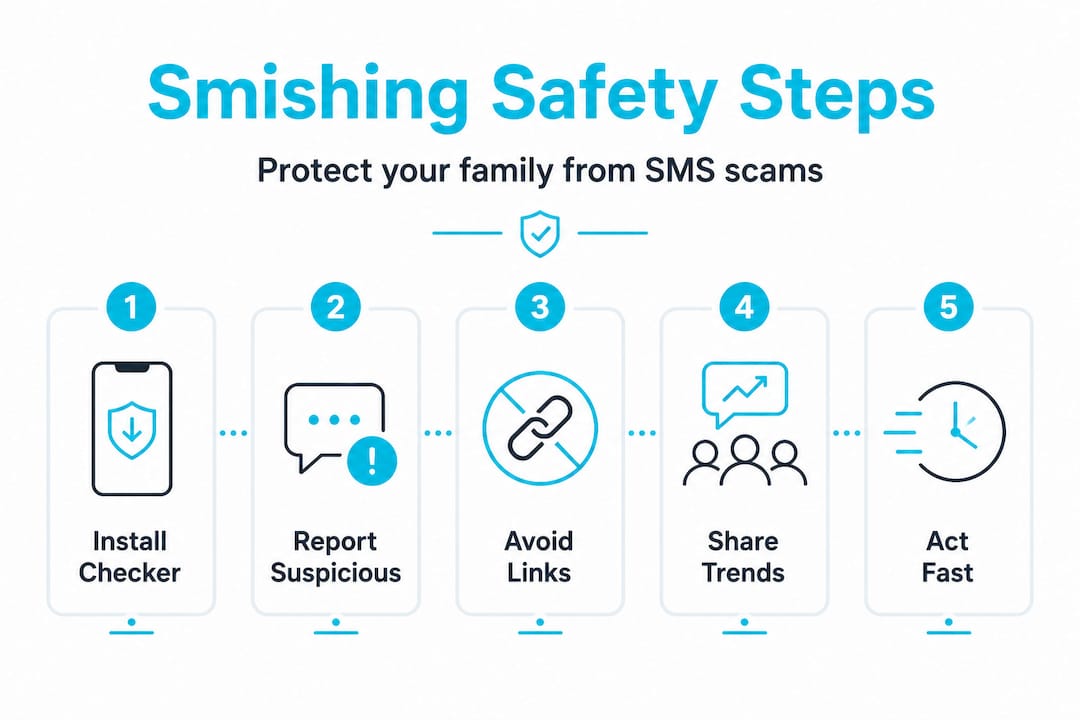
Apps alone won't do it. But apps plus a simple household routine? That's genuinely powerful protection. Here's a step-by-step approach that works even for non-technical families.
1. Set up a smishing checker for every device in your home. Start with the adults, then work your way to teenagers and older relatives. Trend Micro ScamCheck supports family protection with multi-user filtering and real-time alerts. Walk each family member through how to use it. Show them what a flagged message looks like so they're not surprised or confused when it happens.
2. Teach everyone the 7726 trick. Forwarding suspicious texts to the number 7726 (which spells "SPAM" on a phone keypad) blocks up to 90% of scam texts according to phone carriers. It's free, works on virtually every carrier, and takes about five seconds. This single habit is one of the most underused tools in the fight against smishing. Make it a house rule.
3. Set a household link policy. Nobody clicks links in unexpected texts. Period. Not even if the message looks like it's from a bank, a delivery service, or a government agency. Instead, everyone goes directly to the official website or calls the official number. This one rule, consistently practiced, blocks a massive percentage of smishing attacks.
4. Check in regularly about new scam trends. Scammers rotate their scripts constantly. The fake package text that was popular last month might be replaced by a fake IRS notice this month. Make it a family habit to talk about any weird texts people are receiving. Share what you see. One family member's awareness protects everyone else.
5. Know where to go for help. If someone in your family does click a suspicious link, act quickly. Change passwords, contact your bank if financial information was involved, and report the incident. You can also set up ScamKit for your parents to give older relatives an easy-to-use resource that doesn't require technical know-how. For broader strategies, the scam avoidance best practices guide covers scenarios that go well beyond smishing.
Pro Tip: Create a simple household reference card with these rules printed out and stuck to the fridge. It sounds old-fashioned, but it works, especially for older family members who may not remember app instructions under pressure.
The truth about smishing checkers: Tech is only half the answer
Looking at all these facts, here's what most guides and even app makers often overlook.
Most articles on smishing checkers treat the problem like it's purely a technology problem with a technology solution. Download this app, set it and forget it, done. That framing is genuinely dangerous.
Here's what we've seen over and over again: people who rely exclusively on any app, even the most accurate one, eventually get complacent. They stop paying attention because they feel covered. And that's exactly the state of mind scammers exploit. When a person thinks they're fully protected, they're less likely to pause when something feels off.
The real threat isn't just sophisticated software on the scammer's side. It's overconfidence on the user's side.
The most effective protection we've seen isn't a single premium app with 99% accuracy. It's a combination of three things: a decent smishing checker, the habit of forwarding suspicious texts to 7726, and regular family conversations about what new scams look like. These three things together are more powerful than any single app on the market.
What most articles miss is the reporting piece. When you forward a scam text to 7726 or report it through an app, you're not just protecting yourself. You're feeding data back into systems that protect everyone. It's a collective defense, and it costs you five seconds.
The scam avoidance best practices we recommend always emphasize this layered approach. Tools are powerful. Habits are powerful. Together, they're extremely hard for scammers to beat.
Smishing checkers are a genuine breakthrough for everyday families who don't have IT support at home. But the mindset behind the tool matters just as much as the tool itself.
Want stronger protection? Leverage advanced tools from ScamKit
If you want to take your family's smishing defense a step further, ScamKit has tools built specifically for everyday people and households.
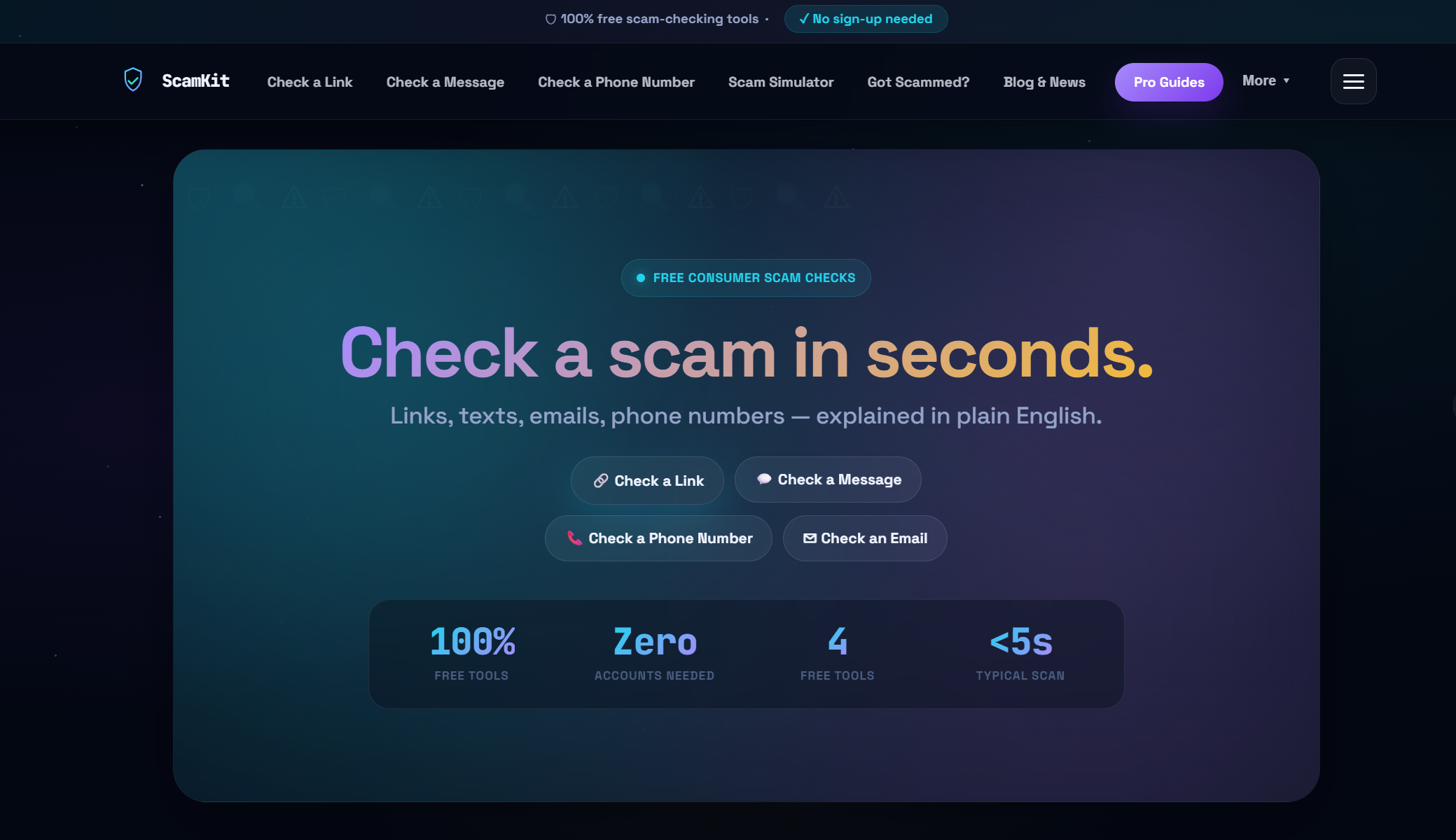
ScamKit's URL risk checker lets you paste any suspicious link and get an instant risk assessment, no sign-up required, no personal data collected. It's perfect for those moments when someone in your family says "is this link okay?" and you want a fast, reliable answer. For schools, community groups, or small workplaces that want to protect multiple people at once, ScamKit for teams offers shared tools and bulk analysis features. Everything ScamKit provides is free to start, easy to use, and designed so that absolutely no technical background is needed to get real protection.
Frequently asked questions
What is the best smishing checker for families?
Trend Micro ScamCheck and McAfee Scam Detector are among the top options, offering family protection features, real-time alerts, and interfaces that work well for users of all ages and technical skill levels.
Do smishing checkers work with QR codes and images?
Most apps struggle to accurately analyze images and QR codes; research confirms that apps frequently miss visual-based scams, so they work best with plain text messages and should be paired with manual caution for image content.
Is it safe to upload my messages to a smishing checker app?
SmishAlert processes messages entirely on your device without uploading content, making it one of the most privacy-friendly options; always review any app's privacy policy before sharing message content with cloud-based services.
Can forwarding to 7726 really stop scam texts?
Yes. Forwarding to 7726 blocks up to 90% of scam texts according to carrier data, making it one of the simplest and most effective non-app tools available to any smartphone user.
What should I do if my smishing checker gives a false positive?
If an app incorrectly flags a safe message, research shows apps may produce false positives in complex cases, so double-check the sender through official channels, avoid clicking any links in the message, and consider running the content through a second tool for confirmation.